Feature
Edit and confirm bookmarks and hyperlinks
We offer a full range of tools for bookmarking and hyperlinking, which can be particularly intensive in the process of becoming Submission Ready.
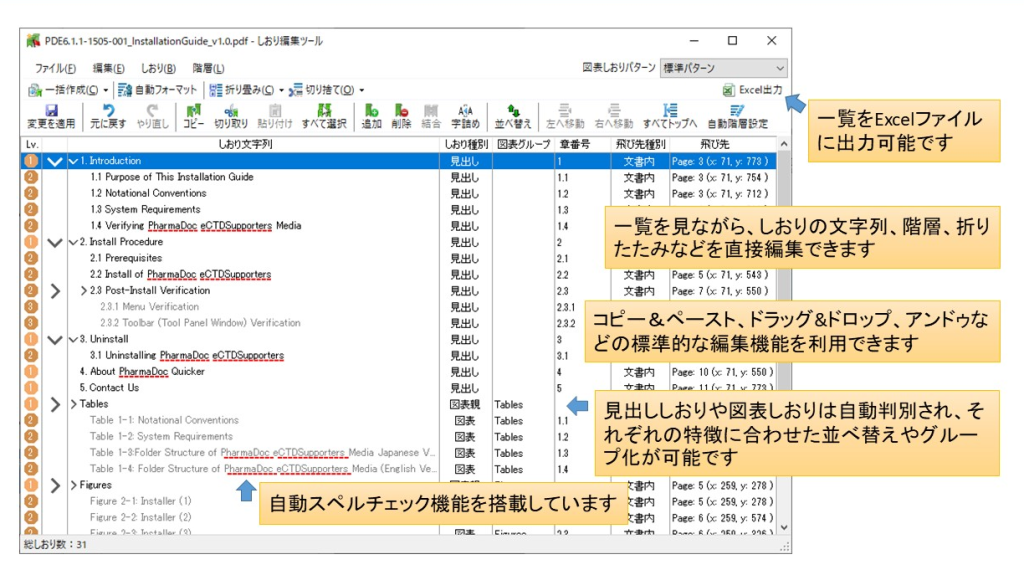
Edit Bookmarks
- You can create a table of contents page or a bookmark from headings in a PDF file at once.
- You can also easily sort, hierarchize, and collapse pages.
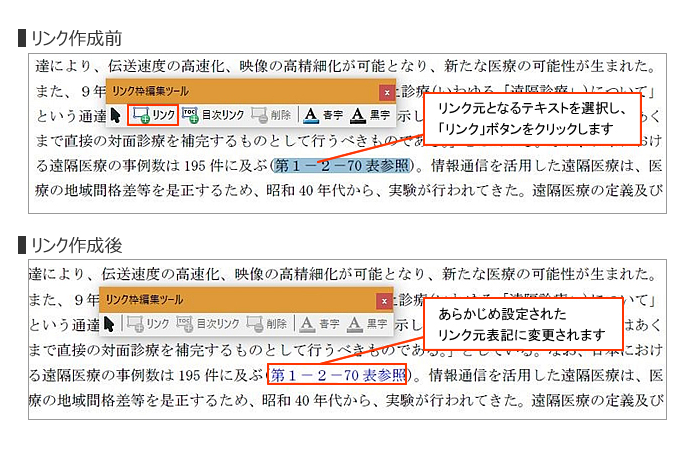
Editing Hyperlinks
- When creating a link frame, the text color within the frame is also accurately changed without disrupting the surrounding layout.
- Even if a hyperlink is not assigned to a table of contents page, you can easily create a hyperlink with a jump destination.
- You can search for specific keywords or locations with a certain text color in the text and convert them into a hyperlink all at once.
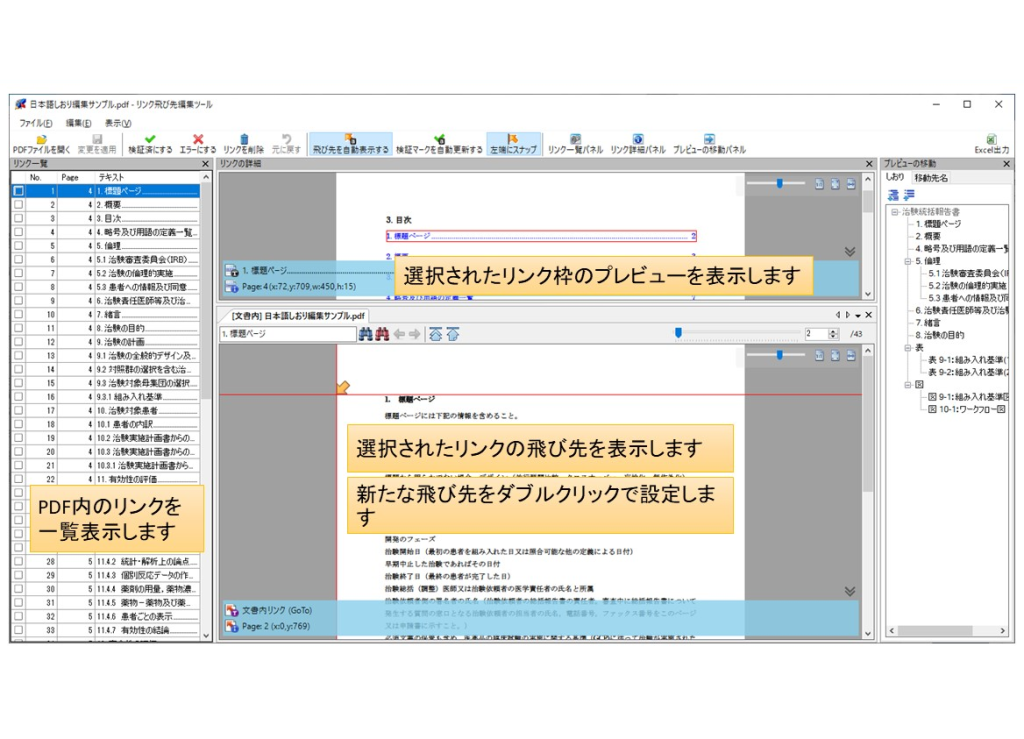
Confirmation and editing of flying destinations
To streamline the process of checking and editing bookmarks and hyperlink jumps, a separate dedicated tool is available.
- The "jump destination Confirmation Tool" allows you to quickly and efficiently confirm destinations by simply selecting each of the bookmarks and links listed.
- The "jump destination Tool" makes it easy to change the jump destination by simply pointing to the location of the jump destination on the preview.
Page content related
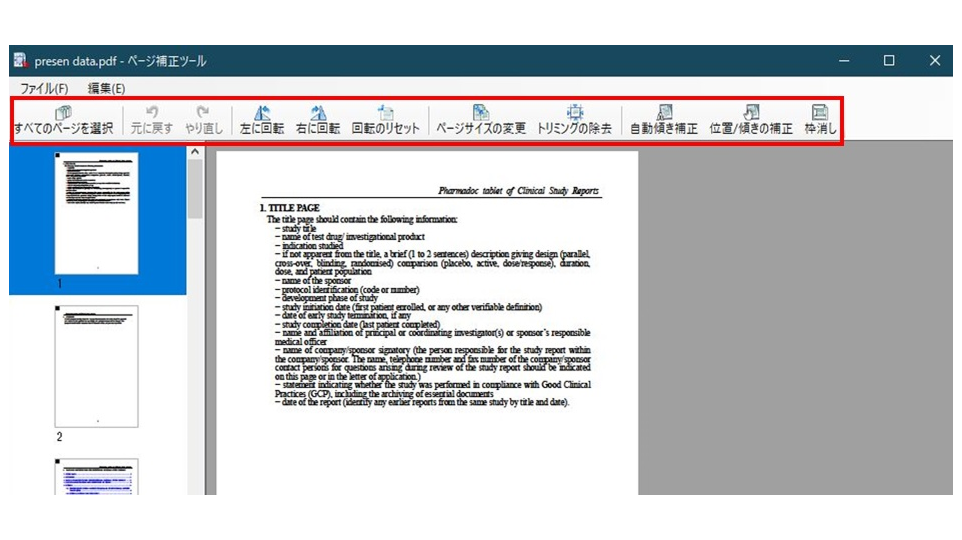
Page Correction
Intuitive operations such as page size change, page rotation, and skew correction can be performed while viewing previews.
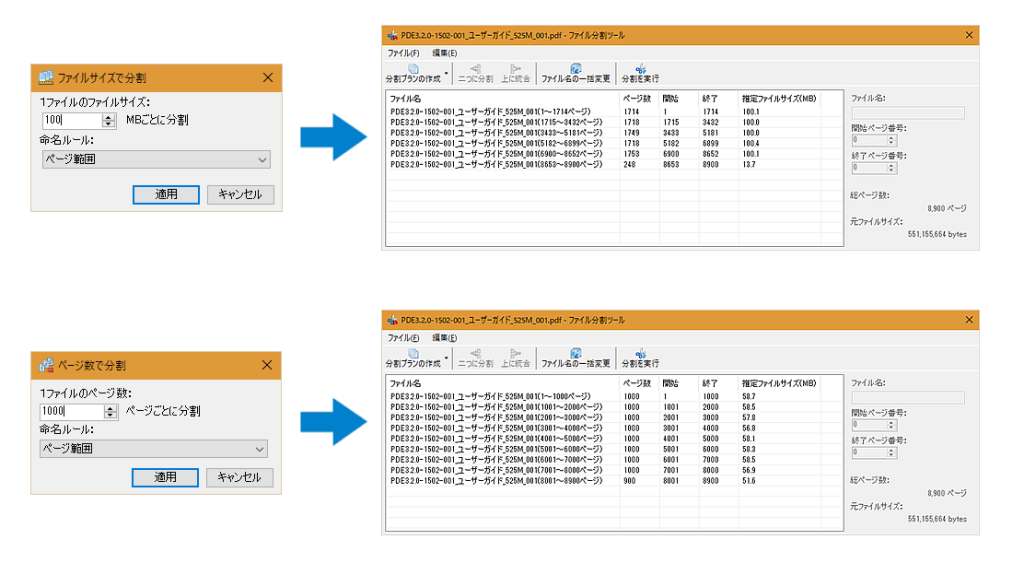
Splitting PDF files
You can split a large PDF file into multiple parts while leaving bookmarks and links as inter-document links.
Batch processing of PDF files
Various processes, including configuration changes necessary to meet eCTD regulatory requirements, can be applied to multiple PDF files at once.
- Collapse and truncate bookmarks below a specified hierarchy
- Change hyperlink style
- Correct bookmark/hyperlink jumps
- Change compression format of images on the page
- Delete/replace PDF properties
- Delete off-page objects
- Delete hidden text
- Delete JavaScript
- Delete destination
- Remove PDF tag information
- Initialize page labels
- Remove attachments
- Remove PDF/A constraints
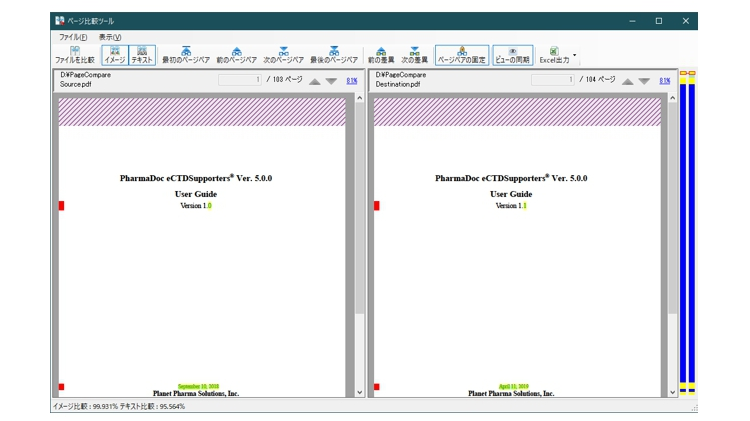
Page Content Comparison
Tools for comparing page content in PDF files can be used to detect missing page content or garbled text that may have occurred during the editing process.
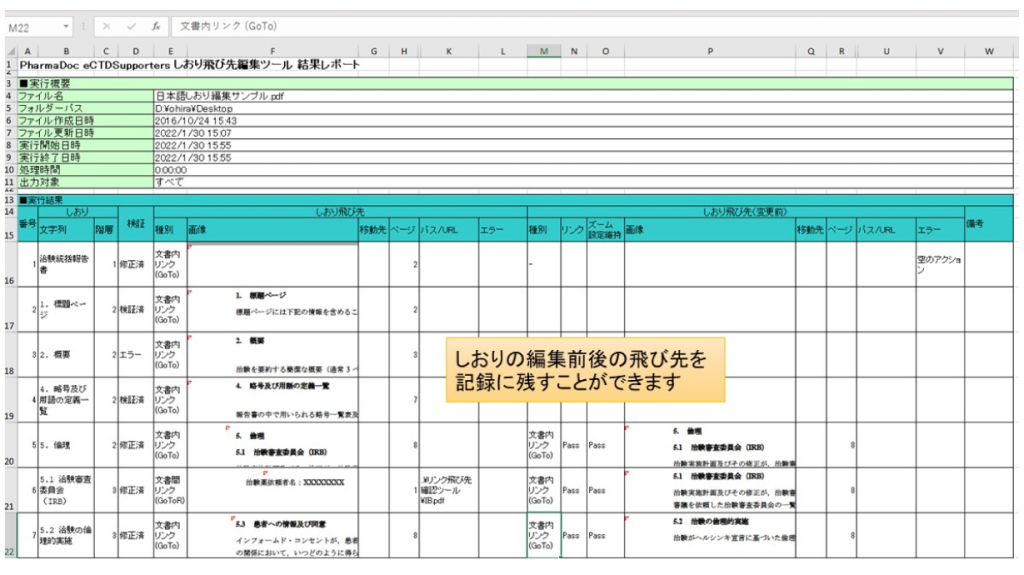
Excel file output
Some tools can output a list of data and execution records to an Excel file for record keeping.
Contact us for product introduction and consultation!
Please feel free to contact us.