


Feature
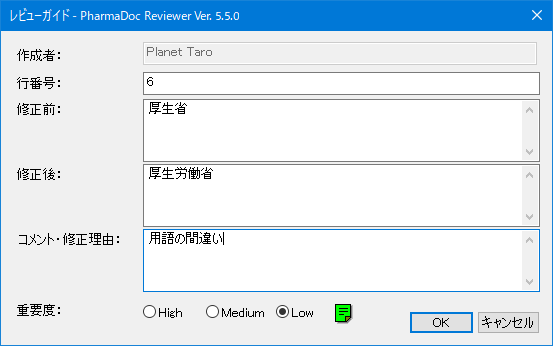
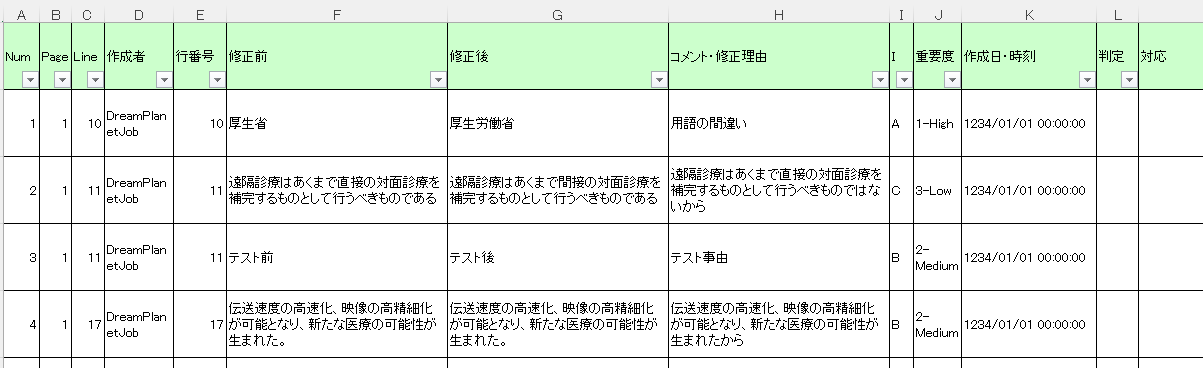
It supports the standardized input of line numbers, before, after, reason for revision, and importance in review comments, and outputs the review results to Excel at the touch of a button. This allows for efficient PDF review and correction of Word documents.
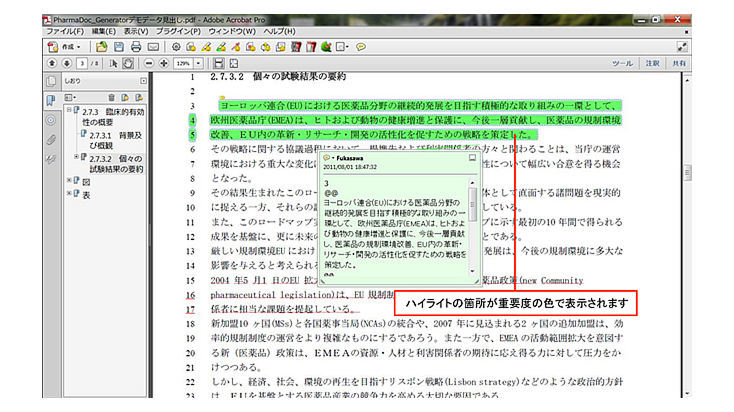
Regularly enter review comments
Note annotations, highlight annotations, underline annotations, arrow annotations, and rectangular annotations can be typed in a standardized manner using the review guide. This function prevents omissions of reasons for correction and clearly sets the level of importance of the review.

Review results are summarized and exported to Excel
The annotations are output in order of page and line number, not in order of creation date, making it easier to check the annotations. Also, even if you use Acrobat standard annotations, you can output to Excel.
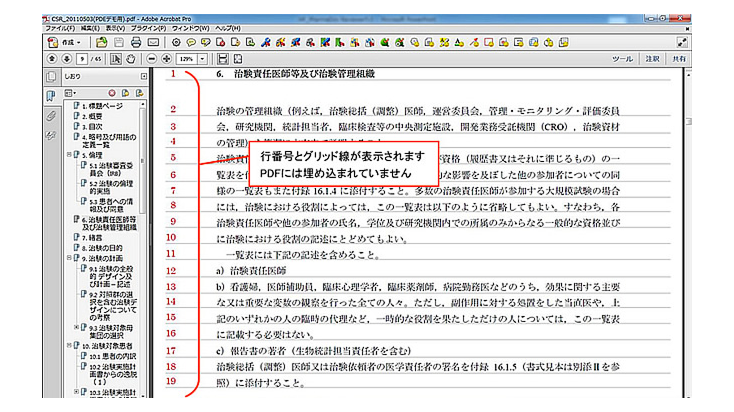
Temporary display of line numbers without embedded line numbers
In online review of PDFs without ord line numbers, line numbers can be temporarily displayed, eliminating the need to assign line numbers to Word documents.
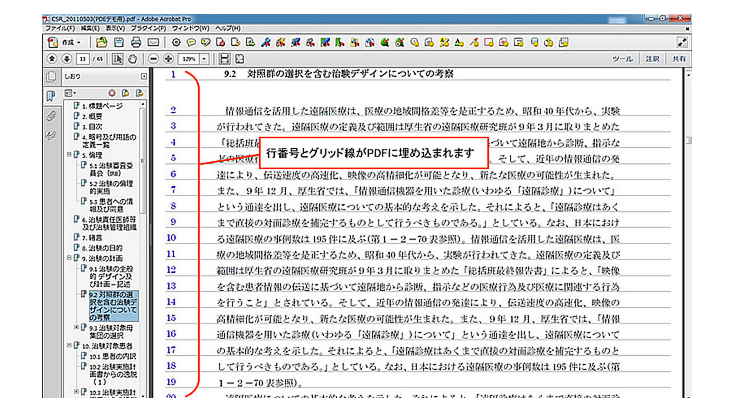
Embed line numbers in PDF files
This function allows offline PDF reviews with authorities, co-developers, and CROs to be performed based on line numbers embedded in the PDF, making it easier to confirm points raised during the review process.
You can efficiently enter review comments using the Review Guide dialog.
You can export review results to Excel with a single click.
Contact us for product introduction and consultation!
Please feel free to contact us.